How to create inference workload autoscaled from 0
This section explains how to configure autoscaling from 0 replicas of you inference workloads.
Autoscaling from 0 replicas might be useful if you do not need to allocate GPU resources all the time for your inference workload but when you need them on demand while some conditions are met.
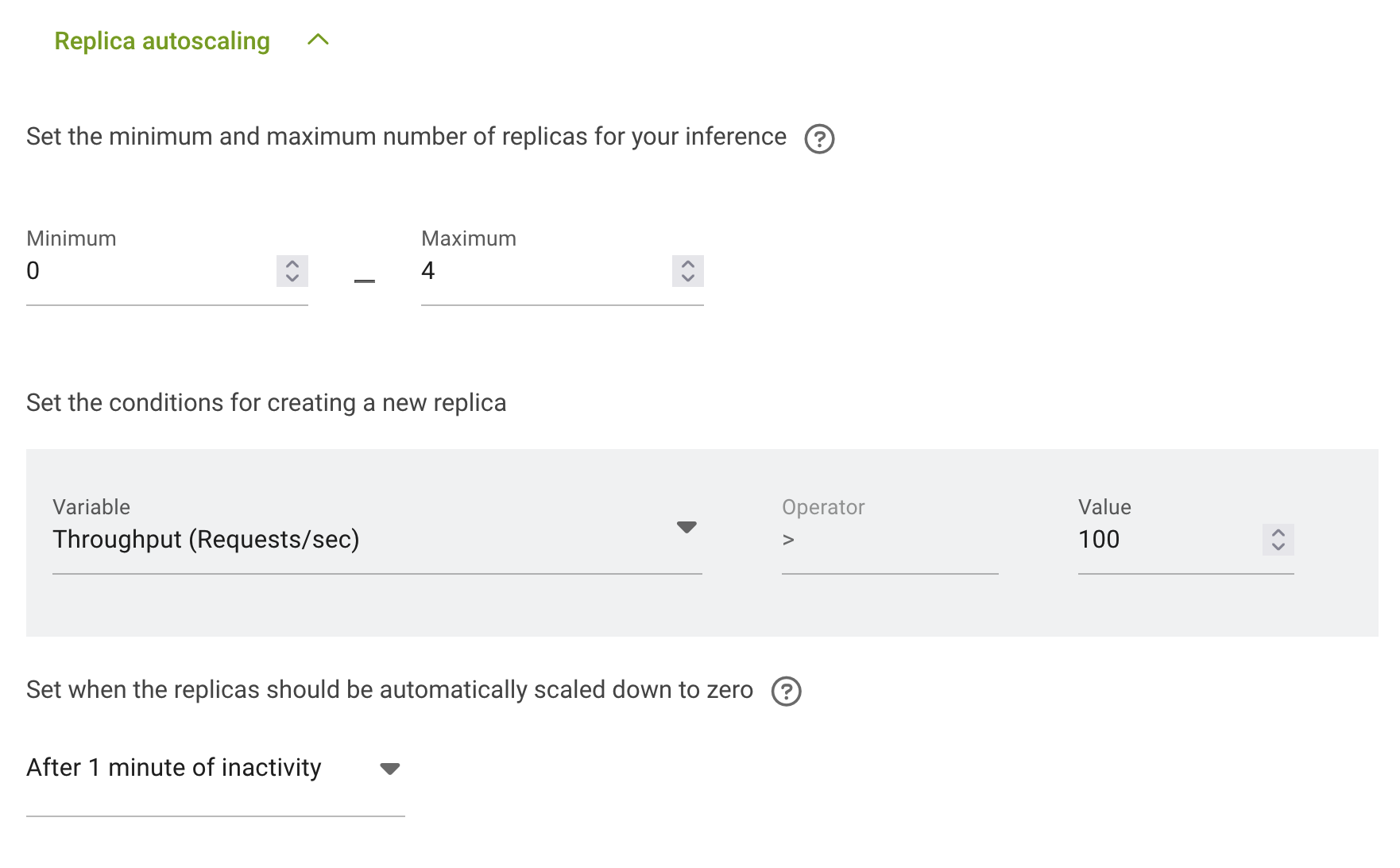
The configuration is done in the section Replica autoscaling. You can follow the instruction for How to deploy distributed inference workload to get to that section.
First you need to set the minimum number of replicas to 0 – no GPU resources will be allocated.
Second you neet to set the maximum number of replicas - the amount of replicas after full autoscaling.
Now you need to configure the conditions under which autoscaling will start. There are 3 options in run:ai: - Throughput (Requests/sec) - Concurrency (Requests) - Latency (Millisecond)
And for selected on you need to set the value:
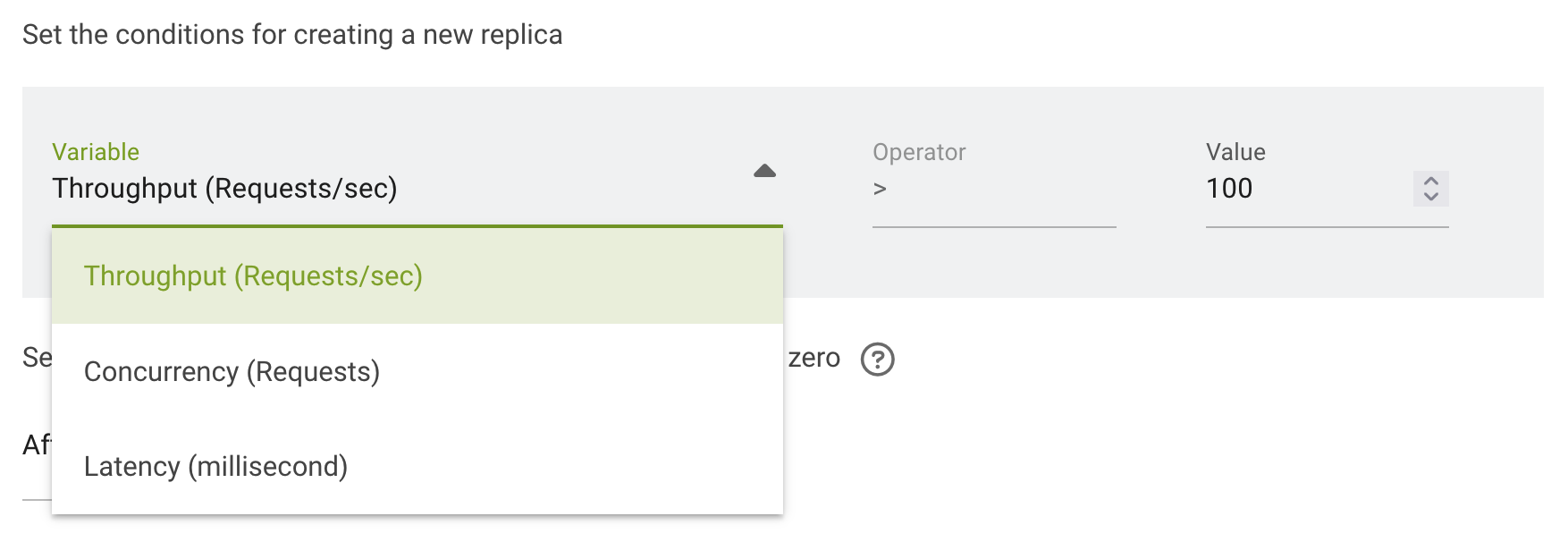
Upscale and downscale will be done automatically according to the conditions.
The last thing you need to configure is when the replicas should be automatically scaled down to zero:

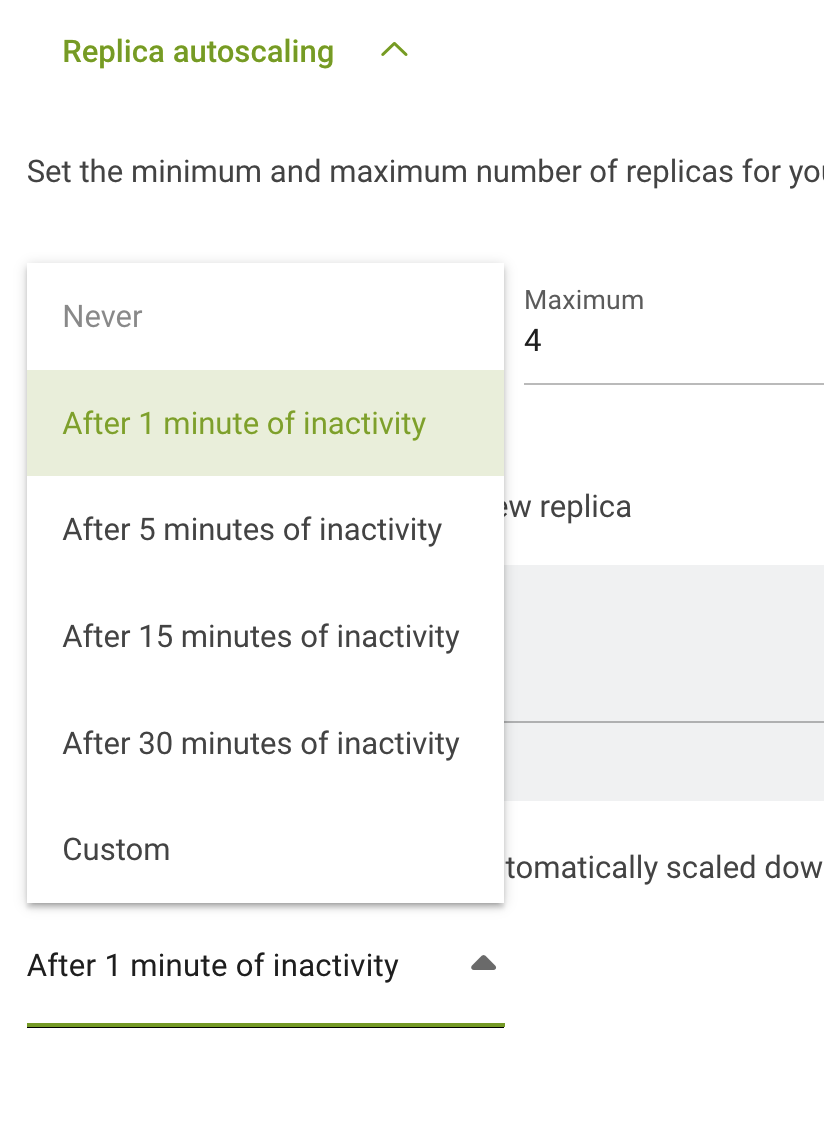
Now your inference workload is configured for scaling from zero replicas. The first replica will be created after first request and scaling to more replicas will start after the conditions of autoscaling will be met.